
Welcome Home 🏡
You open HelpDocs to get something done. Finish that half-written article, take another pass at a working copy, tidy up the stuff that's gone a bit stale. Trouble is, all of that used to live in different corners of the app, and the first thing you saw when you logged in wasn't the work waiting for you.
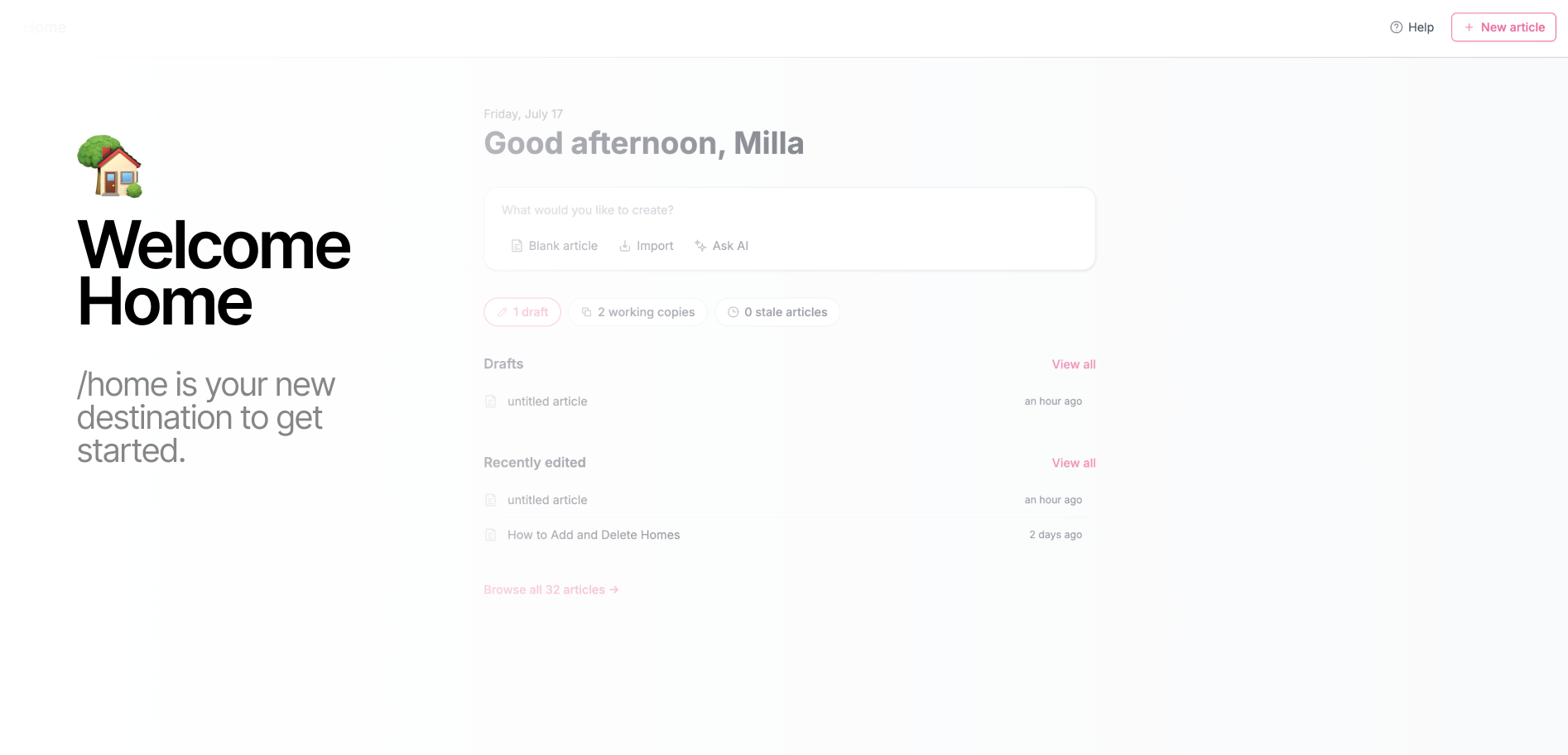
So we built a Home page that starts with exactly that. Open HelpDocs and Home now greets you by name and lays out what's actually on your plate:
- Drafts. Every article you've started but not shipped, newest first, with a quick count up top so you know how big the pile is.
- Working copies. The live articles you're mid-edit on, ready to pick back up.
- Stale articles. Anything you've marked as needing a refresh, so it doesn't quietly rot at the bottom of your content list.
- Recently edited. The things you touched last, right where you left them (that "Project kickoff guide" from 19 minutes ago? Right there).
Why we built it
A knowledge base is never really "done." There's always a draft you meant to finish, an article that's drifted out of date, an edit you started on Tuesday and got pulled away from. The work is there, it's just scattered.
Home pulls it into one view so the first thing you see is a clear answer to "okay, what was I doing?" No digging through Content, no trying to remember which article you left half-open. You land, you see where things stand, you get on with it.
The little counts up top (drafts, working copies, stale) are there for the quick gut-check too. Some days it's reassuring. Some days it's a gentle nudge. Either way, you know.
What you need to do
Nada! Home is live for everyone now. Log in and it's the first thing you'll see. Click any article to jump straight back into it, or hit View all on Drafts or Recently edited to see the full list.
Go see what's waiting for you.